Compatible with Chrome and Edge
Instruction Guide
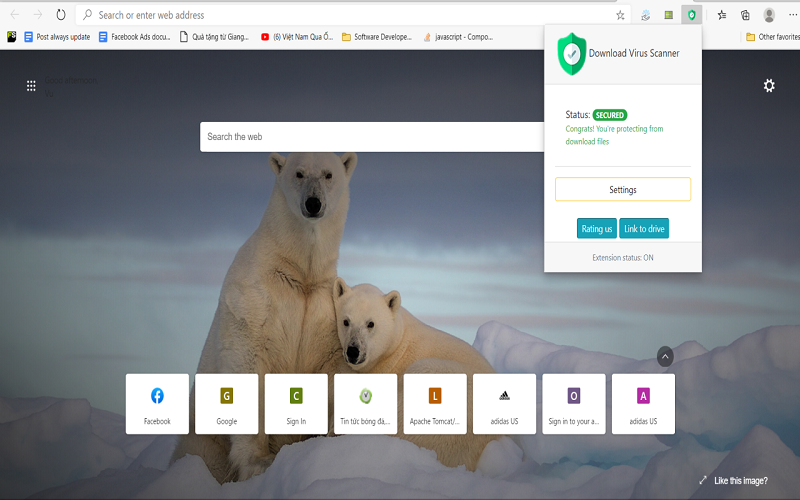
We have a simple tutorial guide which explains the features of the software extension and what each button inside the extension does. Read our tutorial and welcome guide on how to use the extension to the fullest. Use all the features of this browser software.
If you are interested in other web extensions to install, you might wish to check out the Microsoft Bing Search with Rewards extension.
Microsoft Bing Search with Rewards Extension
It allows you to complete daily offers to get points.
Track the number of points you have currently and the rewards you can redeem with these points.
The ways to get points & get rewarded is search with Bing, browse with Microsoft Edge and shop at the Microsoft and Windows stores to earn rewards.
Sponsored Link:
Other useful extensions
Another extension which would be useful to install is the iCloud bookmarks extension.
It allows to keep your Chrome bookmarks on Windows synced up with the Safari bookmarks on your iPhone, iPad, and Mac.
iCloud will store your website bookmarks so it is accessible even on your iPhone and Mac.
Try these other two extensions and see if it will boost your daily productivity.
- Install our extension and Get an API key from Virustotal
- Upload your file and let over 20+ antivirus software scan the file
Features:
This would allow you to have a good idea on whether the file is a virus or not. The service is 100% free and takes a few minutes to scan your file.
The virustotal API allows you to scan a file and check with over 50 antivirus software engines to determine whether the file is malicious.
Check if your file is malicious or not with this chrome browser extension. The API allows you to scan a file and check with over 50 antivirus software engines to determine whether the file is malicious.
You need to apply and get a free virustotal API before you can use the full features of this google chrome browser extension.
The Virus Scanner allows you to check whether the file you downloaded is malicious or not, by using the popular virustotal.com service.
Get protected from viruses by using this Google chrome browser extension today.
What is a virus scanner?
A virus scanner is a program that scans your computer for malicious programs (such as viruses, worms and Trojans). It then removes these files.
The main advantage of using a virus scanner is that it does not require user intervention; it can scan the entire disk or just specific folders or files. The disadvantage is that most antivirus programs are not 100% effective at detecting new threats, and may not be able to detect all types of malware.
Why it is better to use virustotal API to scan a file instead of relying on your desktop antivirus software.
Different antivirus programs have different detection rates. If you want to make sure that your file isn't infected, using an antivirus program with high detection rate will be more reliable than using one with low detection rate. Virustotal has excellent detection rates because it uses multiple antivirus engines to scan each file.
Our browser extension makes use of the virustotal API so you can scan your files using this browser extension.
Tutorial:
- Install the Extension
- After installing the extension, click on the icon on the toolbar.
Sponsored Link: